-
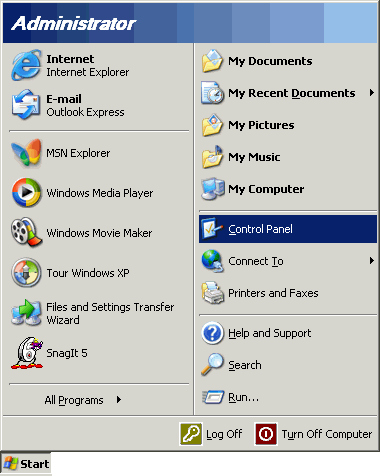
From the Start menu, choose Control Panel.
-
-
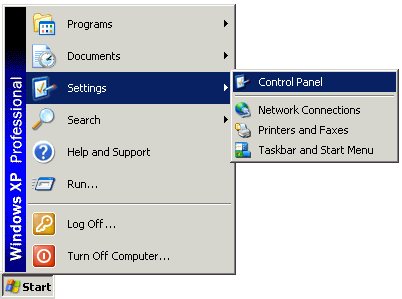
If you are running Windows XP in classic mode, your will need to select the Start menu, select Settings, then choose Control Panel.
-
-
Click the Switch to Classic View icon.
-
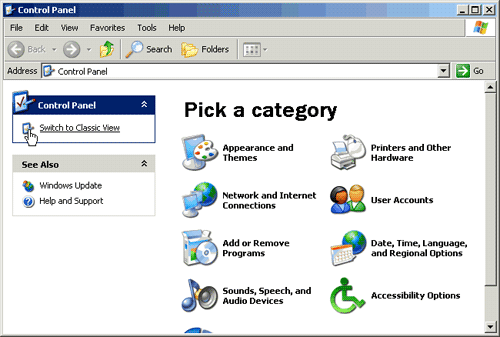
Note: If your control panel is already in Classic mode, proceed to step 3.
-
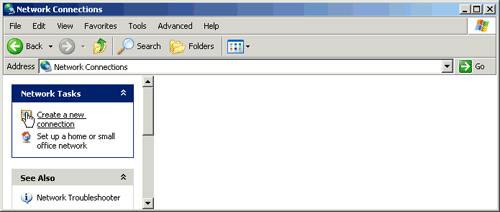
Double-click the Network Connections icon.
-

-
Click the Create a new connection icon.
-
-
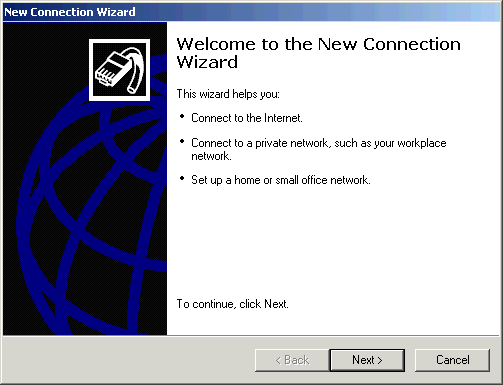
Click the Next button.
-
-
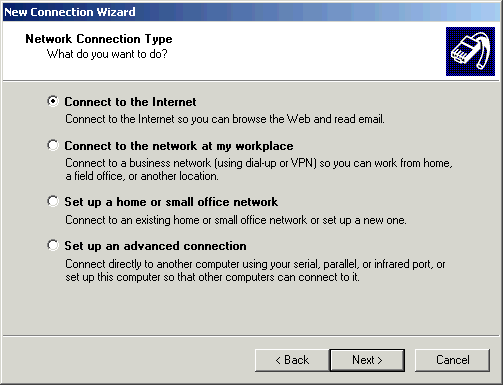
Select Connect to the Internet.
-
Click the Next button.
-
-
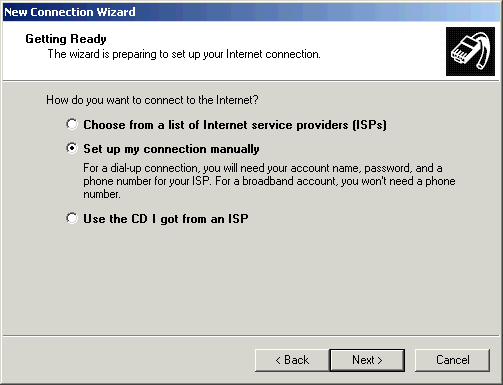
Select Set up my connection manually.
-
Click the Next button.
-
-
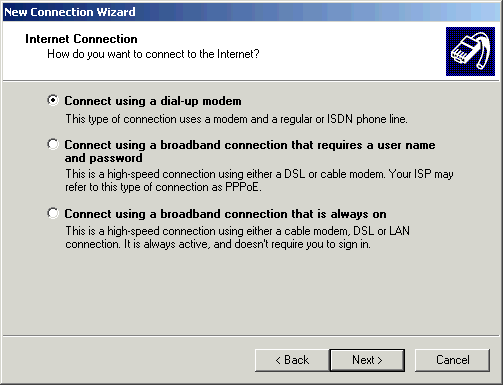
Select Connect using a dial-up modem.
-
Click the Next button.
-
-
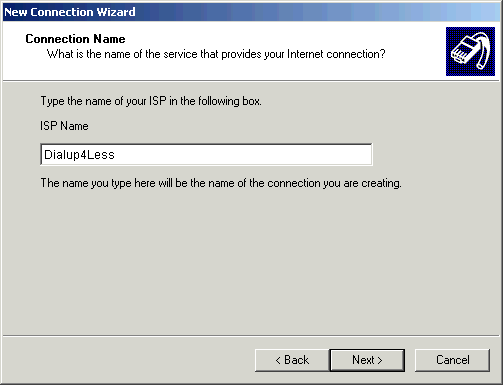
In the ISP Name field, type a name to identify your connection (i.e. Dialup 4 Less).
-
Click the Next button.
-
-
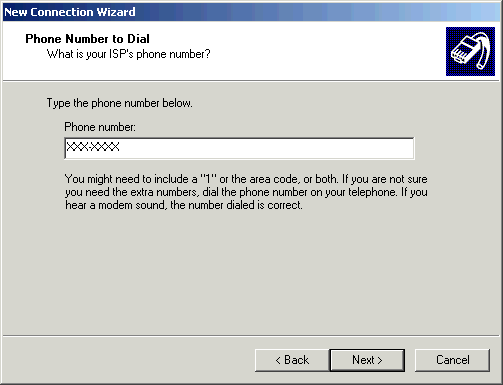
In the Phone number field, type your local Dialup 4 Less access number. An access number can be found on our Access Number Search
page.
Note:
- Remember to check with your local telephone company to make sure that the access number you choose is a local toll-free call.
- When you enter the access number, type it exactly as you would dial it from your home phone.
- Do not include a 1 or the area code unless you have to dial it to make a local call from your home telephone.
- If you are dialing from a hotel, office, or other phone system that requires you to dial a digit such as 9 to get an outside line, insert that number before the access number.
- To disable call waiting while using the internet, insert the call waiting defeat code (usually *70) before the access number. Note: only insert this if you have call waiting on the line you will connect with. Check with your phone company to determine which code to use for your line.
-
Click the Next button.
-
-
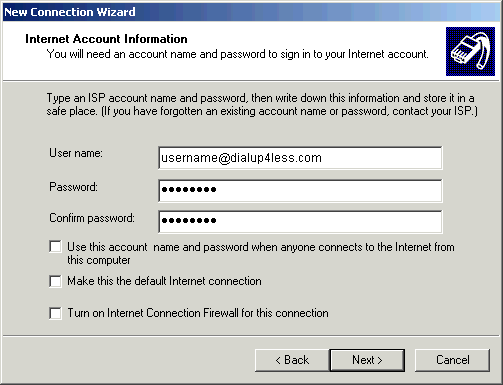
In the User name field, type your entire email address (e.g., username@dialup4less.com).
-
In the Password field, type your password.
-
Note: Remember, your password is case sensitive. (Make sure your CAPS LOCK button is off!)
-
In the Confirm password field, type your password again for confirmation.
-
If you wish to store this account name and password for all users of your computer, place a check in the Use this account name and password when anyone connects to the Internet from this computer checkbox.
-
If you want this connection to come up whenever you try to connect to the Internet, place a check in the Make this the default Internet connection checkbox. If you are creating this connection as a secondary connection, leave this box unchecked.
-
If you wish to turn on the Windows XP Internet Connection Firewall for this connection, place a check in the Turn on Internet Connection Firewall for this connection checkbox.
-
Click the Next button.
-
-
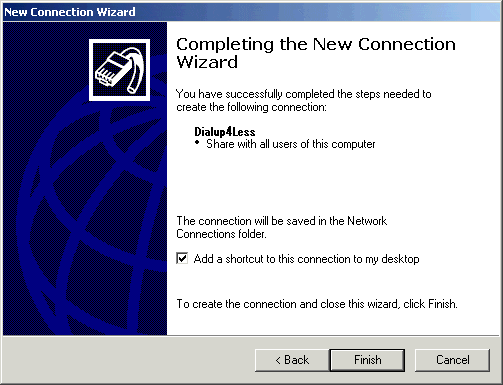
Check the box next to Add a shortcut to this connection to my desktop if you wish to have a shortcut to the connection on your desktop.
-
Click the Finish button.
-
Back to Support Page
Please contact one of our Sales Representatives to discuss your particular requirements at 888-818-0444.