Thunderbird 3 Email Support** The images below are from a Windows computer but these instructions apply to both Windows and Mac

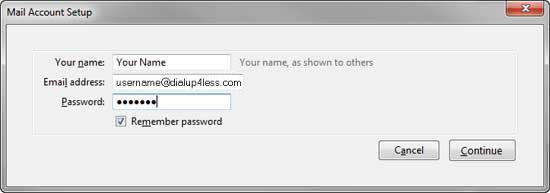
Click Continue button.
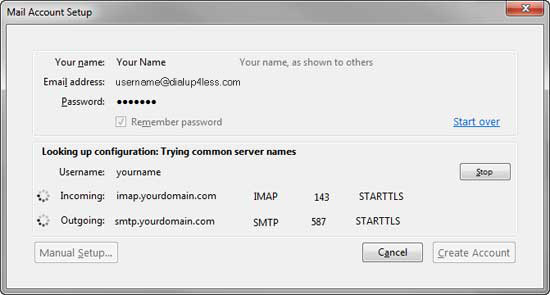
Thunderbird will try the default settings to see if they'll work. Click the Stop button.


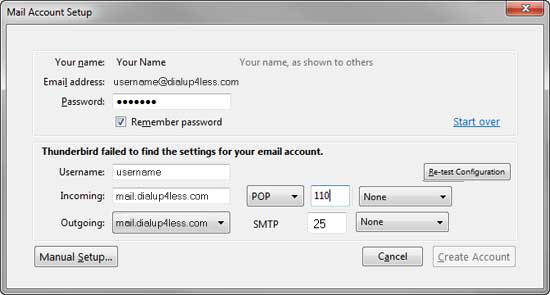
Enter/Modify the following information within "Server Settings" screen:
Click Manual Setup... button.
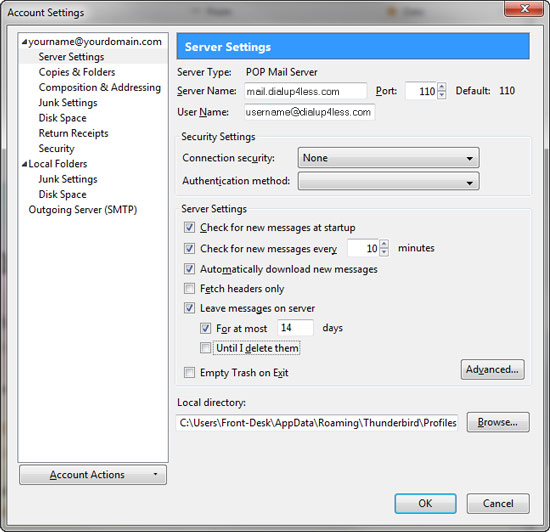
Verify the information within "Server Settings" screen is as follows: