DialUp 4 Less Internet Access
WebMail Access
 
Click Here To Verify Our BBB Status
 
  
Email Client Support/Setup for Windows Vista Mail
 
Configuring Windows Mail
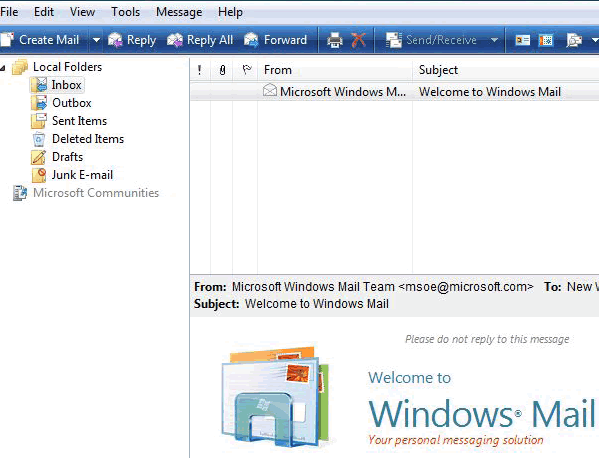
  • Open Windows Mail.
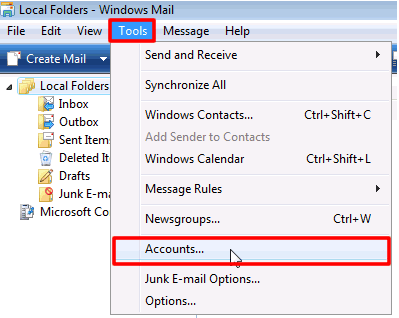
  • Click on Tools and select Accounts from the drop down list.
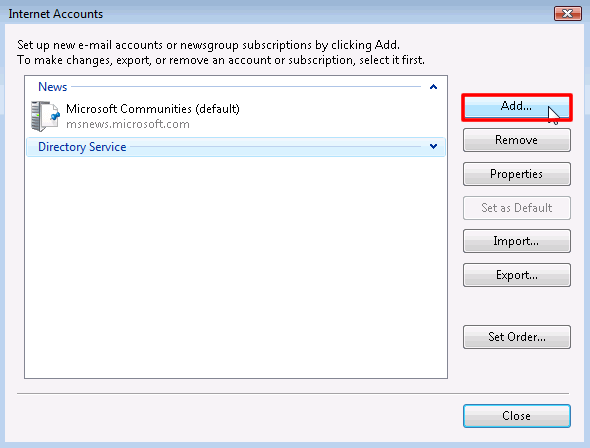
  • On the Internet Accounts screen, Click the Add button.
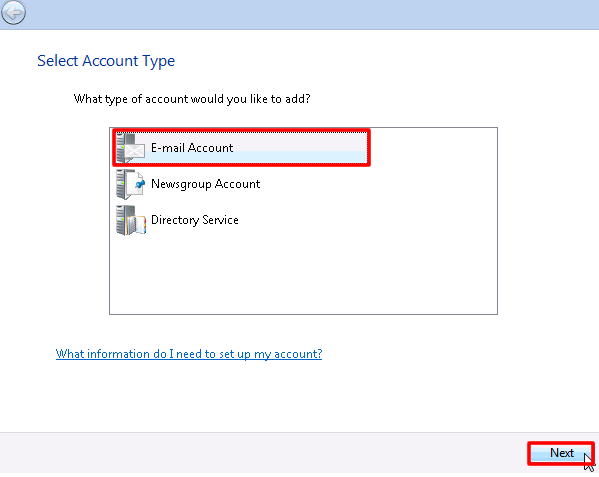
  • Select E-mail Account on the "Account Type screen" and click Next.
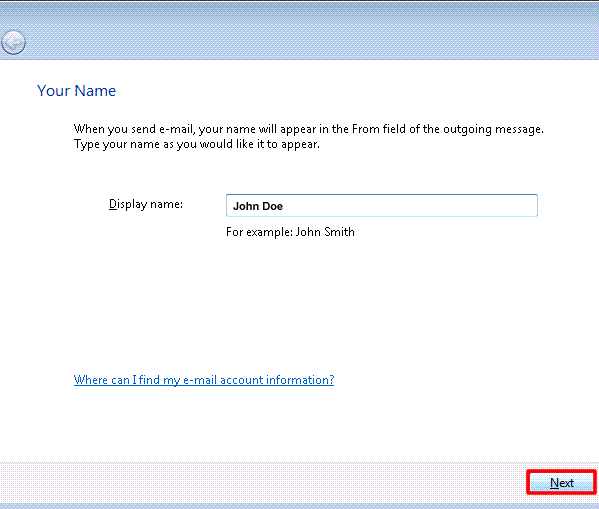
  • Enter the Display Name of your choice and click Next.
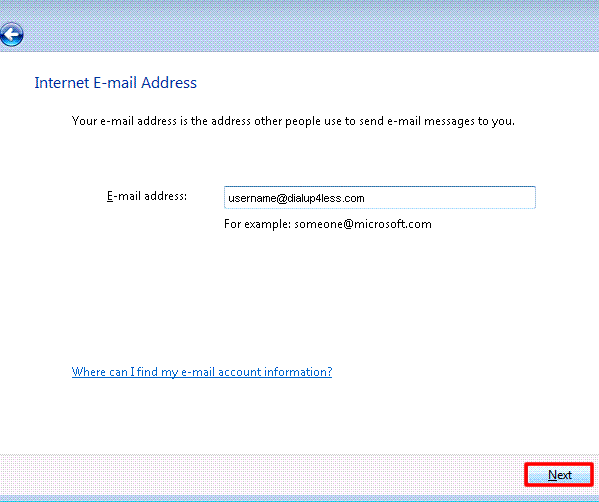
  • Enter your Dialup 4 Less (username@dialup4less.com) E-Mail address and click Next.
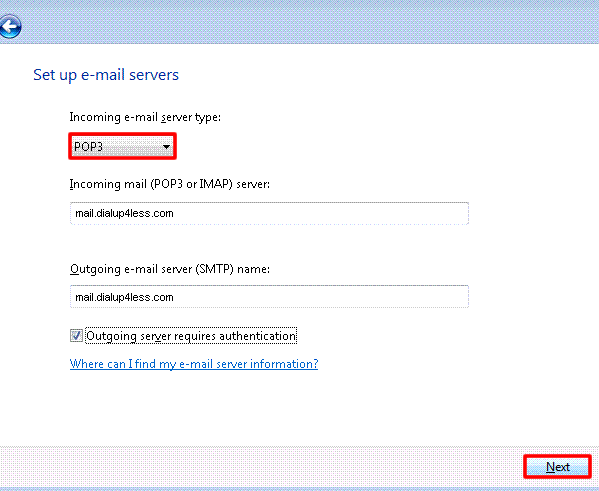
  • Select POP from the drop down list of server types.
  • In the Incoming mail (POP3, IMAP or HTTP) server field, type in mail.dialup4less.com.
  • In the Outgoing e-mail server (SMTP) name: Type in mail.dialup4less.com and click Next.
  • Select the box "Outgoing server requires authentication."
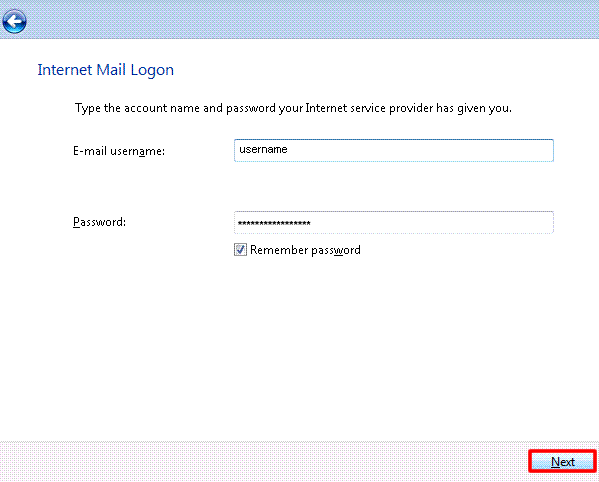
  • Enter the E-mail username and Password, then check the box " Remember password" and click Next.
  • Click Finish.


Back To Support Page
 Copyright © 1998-, Dialup 4 Less.